To dominate the market space with advanced locksmith web design techniques, you must build a site engineered for immediate conversion rather than passive reading. By mapping user behavior to emergency and non-emergency funnels, creating automated lead capturing cascades, and removing friction from the phone call, you turn your website into an active dispatch tool. When a customer is standing in the rain locked out of their car, they do not want to read about your company history. They want a button that dispatches a technician. This guide provides the operational blueprint to build a locksmith platform that actually drives revenue.
Mapping User Behavior to Drive Locksmith Customer Acquisition
Your customers arrive at your website with entirely different stress levels and timelines. User behavior mapping means structuring your site architecture to match these distinct mindsets immediately upon page load. A failure to route these users correctly results in high bounce rates and lost revenue.
The Emergency Lockout State
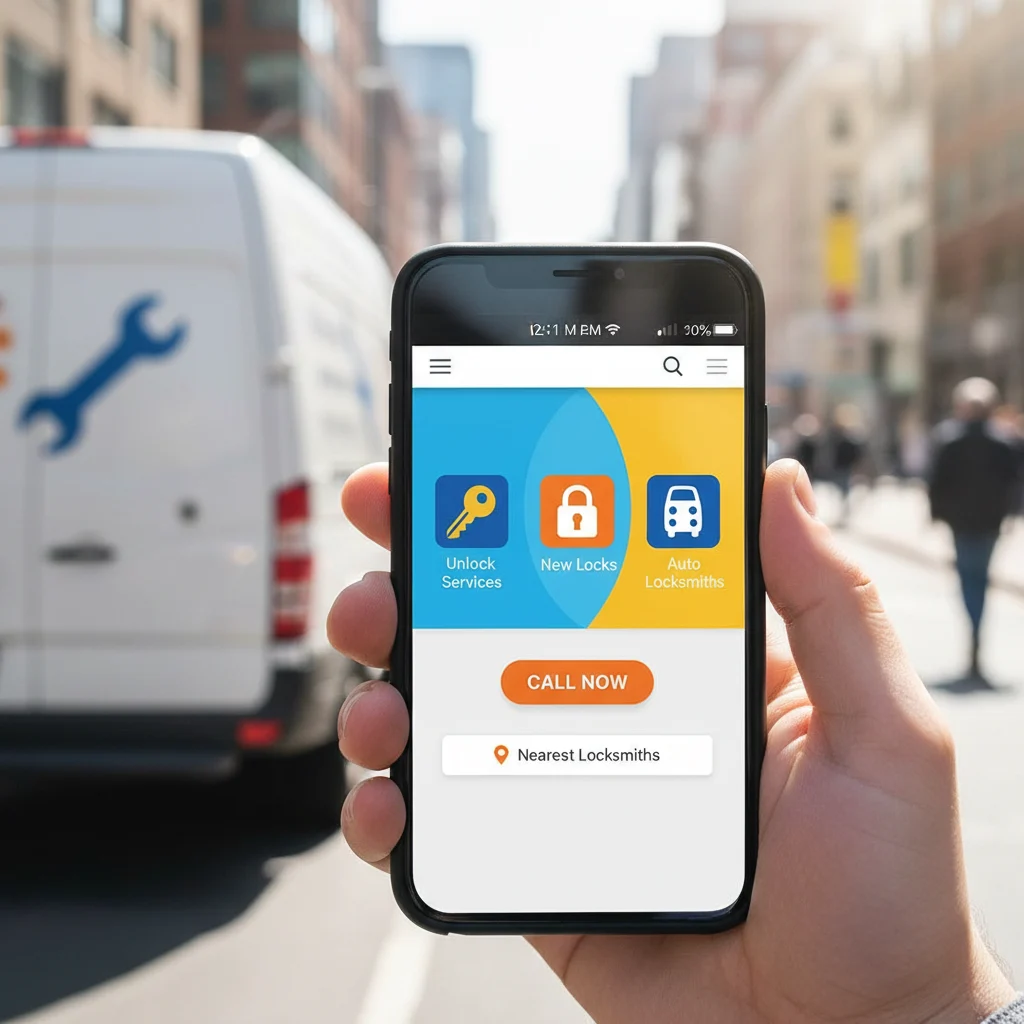
Someone locked out of their vehicle or home needs an immediate fix. They are using a mobile phone, often with poor cellular connection, and they are in a hurry. Your web design must serve them instantly. This requires a massive, sticky click-to-call button anchored to the bottom of the screen on all mobile devices. The text should read "24/7 Emergency Dispatch" rather than a generic "Contact Us." Every second they spend hunting for your phone number is an opportunity for them to hit the back button and call your competitor.
The Commercial Security State
A property manager looking to upgrade an apartment complex to a master key system operates on a completely different timeline. They are not in a rush. They are evaluating your credibility, checking your licensing, and reviewing your past work. For this user, behavior mapping dictates a slower, information-rich path. They need to navigate easily to commercial service pages detailing access control systems, high-security lock installations, and commercial account billing options. Presenting this user with nothing but flashing emergency banners will damage your professional credibility.
The Automotive Key Replacement State
Customers seeking replacement transponder keys or proximity fobs often search for specific solutions based on their vehicle make and model. They want to know if you can program a key for their specific car without the dealership markup. Mapping this behavior requires clear navigation paths to automotive services, emphasizing your programming capabilities, cost savings compared to dealerships, and mobile service convenience.
Implementing Automated Lead Capturing Cascades
An automated lead capturing cascade is a series of fallback mechanisms designed to secure a customer's information before they leave your site. Not everyone wants to call, and relying on a single contact method leaves money on the table.
The Primary Action: Sticky Click-to-Call
Phone calls are the lifeblood of your dispatch board. Your primary conversion goal is getting the user on the line with your dispatcher. Make the phone number the most prominent element on every single page. Use a highly contrasting color for the button. Most importantly, ensure the HTML uses the proper telephone protocol so a single tap automatically dials your dispatch software without requiring the user to copy and paste the digits.
The Secondary Action: Text-to-Dispatch Integrations
Many consumers hesitate to make phone calls, even in urgent situations. An automated lead capturing cascade introduces an SMS widget as a secondary option. When a user taps "Text for a Quote," the site opens their native SMS app pre-filled with a message requesting service at their location. This routes directly to your dispatch platform, capturing a valid cell phone number immediately and allowing your dispatchers to lock in the job via text.
The Tertiary Action: Smart Multi-Step Forms
For non-emergency quotes, deploy smart, multi-step forms rather than a generic contact box. Do not ask for their name, email, phone, address, and lock type all at once. Start by asking a low-friction question: "What type of service do you need?" Provide clickable buttons for Auto, Home, or Business. Then ask for the vehicle make or door type. Finally, ask for their contact details to send the quote. This micro-commitment approach drastically increases conversion rates for non-emergency inquiries.
Custom Audience Segmentation Configurations
You cannot effectively scale locksmith online operations with a single, generic "Services" page. You need dedicated landing pages segmented by audience intent. Custom audience segmentation configurations ensure that when a user clicks an ad or a search link, they land on a page that directly addresses their specific problem.
Structuring Brand-Specific Automotive Pages
Car key replacement requires specific details. Create landing pages segmented by vehicle brand categories. A page dedicated to "Ford Key Fob Replacement" performs better in local search and converts higher than a generic auto locksmith page. When a user lands on this page, the imagery and copy should speak directly to Ford transponder keys, proximity fobs, and ignition repairs. This level of specificity reassures the customer that you have the exact tools needed for their vehicle.
Siloing Residential and Commercial Traffic
Keep homeowners and business owners on entirely separate navigational paths. A homeowner needs rekeying, deadbolt installation, or smart lock setups. A business owner needs panic bars, commercial door closers, and restricted keyways. Segmenting these audiences through clear top-level navigation prevents commercial clients from thinking you only handle residential lockouts, positioning your firm as a capable commercial contractor.
The Reality of Locksmith Web Design Investment
Building a high-performing website requires operational capital. Having an honest conversation about your locksmith web design investment starts with understanding the difference between a business expense and a revenue-generating asset.
Evaluating Initial Capital vs. Long-Term Returns
You can buy a templated website for a few hundred dollars. It will likely load slowly, lack true mobile optimization, and fail to convert traffic into booked jobs. A custom, conversion-focused website that maps user behavior and integrates automated cascades requires a larger upfront commitment. This investment pays for itself rapidly by lowering your overall cost per booked job. If you spend money on advertising but send that traffic to a poor website, you burn through your budget with nothing to show for it. Investing in a fast, structured website maximizes the return on every marketing dollar you deploy.
Budgeting for Proper Integrations
A proper build includes integrating your site with your field service management software, setting up dynamic call tracking, and configuring server-side tagging for ad networks. Expect a custom build to take four to eight weeks, depending on the complexity of your service areas and the depth of your CRM integrations. Plan your budget not just for the design, but for the technical infrastructure that makes the site function as a dispatch tool.
What Typically Goes Wrong with Locksmith Websites
Many locksmith platforms fail because they prioritize aesthetics over raw functionality or ignore technical fundamentals entirely. Avoiding these common pitfalls is critical to dominating your market space.
Mobile Bloat and Slow Load Times
The vast majority of emergency locksmith searches happen on mobile devices. If your site takes longer than three seconds to load over a weak cellular connection, the customer will abandon the page and call your competitor. Massive image files, unnecessary video backgrounds, and bloated code kill conversion rates. Your mobile site must be lightweight, brutally fast, and focused entirely on the conversion action.
Hiding Contact Information Behind Clicks
Burying your phone number on a separate "Contact" page or hiding it at the bottom of the footer is a fatal error in this industry. The user should never have to scroll or click to find out how to reach your dispatch team. The primary contact method must be visible in the header on every single page.
Relying on Generic Stock Photography
Consumers are inherently suspicious of locksmith scams due to the prevalence of lead-generation shell companies that overcharge and underdeliver. Using obvious stock photos of generic technicians increases this suspicion. Real photos of your branded vans, your uniformed technicians on the job, and your physical storefront build immediate trust. Authenticity converts much higher than polished, fake imagery.
Integrating Digital Marketing for Locksmith Platforms
A high-converting website is only half the equation. You must drive qualified, local traffic to it. Digital marketing for locksmith companies requires a localized, highly targeted approach that aligns with your website structure.
Dominating Local Search with Location Pages
Your website structure must signal your exact service areas to search engines. Create dedicated location pages for every major city, suburb, and county you serve. Do not duplicate content; write specific details about the local area, embed functional Google Maps, and ensure your business name, address, and phone number match your Google Business Profile perfectly. This localized structure drives organic lead generation.
Maximizing Paid Traffic Through Google Ads
Locksmithing is a high-intent, immediate-need industry. Google Ads puts your firm at the top of the search results exactly when the customer is looking for help. Send this paid traffic directly to the segmented landing pages we discussed earlier. If a user searches for "commercial door closer repair," send them directly to your commercial page, not your homepage. Matching the ad copy to the landing page content significantly lowers your cost per click and increases your conversion rate.
Building Trust Signals to Combat Industry Skepticism
The locksmith industry faces a unique challenge regarding consumer trust. Your website must proactively disarm customer hesitation by showcasing undeniable proof of your legitimacy.
Verifiable Credentials and Licensing
Display your state or local locksmith licenses prominently in the header or footer of your website. Include badges for your insurance, bonding, and memberships in professional organizations like ALOA. Providing license numbers allows commercial clients to verify your standing, drastically reducing the friction in securing high-ticket commercial contracts.
Vehicle and Technician Transparency
Explicitly state on your website that your technicians arrive in clearly marked, branded vehicles and wear company uniforms. Feature a photo gallery showing your fleet. When a customer knows exactly what to expect when a technician pulls into their driveway at night, their anxiety decreases, and their willingness to book the job increases.
Operational Blueprint to Scale Locksmith Online Operations
To truly scale locksmith online operations, your website must integrate seamlessly with your field operations and automated marketing systems. The site should reduce administrative overhead, not add to it.
Dispatch Software and CRM Integration
Connect your website's smart forms and text-to-dispatch widgets directly into your field service management software. When a lead comes in, the system should automatically create a new customer profile, generate a ticket, alert your available technicians, and begin the routing process. This eliminates manual data entry, reduces dispatch errors, and speeds up your response times.
Automated Review Generation Systems
Online reviews are a primary driver of local search rankings and customer trust. Integrate an automated review generation system with your dispatch software. Once a technician marks a job as complete, the system should automatically trigger a text message to the customer asking for a review, pointing them directly to your Google Business Profile. Consistent, positive reviews combined with a fast, professional website create a powerful feedback loop that dominates local markets.
Your Growth Checklist
Execute this operational blueprint to secure your market space and streamline your customer acquisition:
- Audit your mobile site speed on a cellular connection to ensure it loads in under three seconds.
- Make your primary phone number a sticky click-to-call button on all mobile screens.
- Replace all stock imagery with authentic photos of your real trucks, tools, and team.
- Break your generic services page into highly specific automotive, residential, and commercial landing pages.
- Implement a text-to-dispatch widget to capture leads who prefer SMS over phone calls.
- Connect your website contact forms directly into your dispatch software via webhooks or native integrations.
- Ensure your Google Business Profile links directly to your newly optimized, conversion-focused site.
By implementing these advanced locksmith web design techniques, your firm will capture more emergency leads, secure more lucrative commercial contracts, and build a digital asset that consistently drives revenue.

 By Kayce Marty